Describe the song
Write your lyrics. Set the mood, instruments and performance. Auto duration lets the composition find its ending, within YuE2’s six-minute limit.
 PIXEL MUSIC
A focused place to turn lyrics and musical ideas into songs. Refine your idea, explore with YuE2, and keep every take on your own machine.
Download for Mac ↓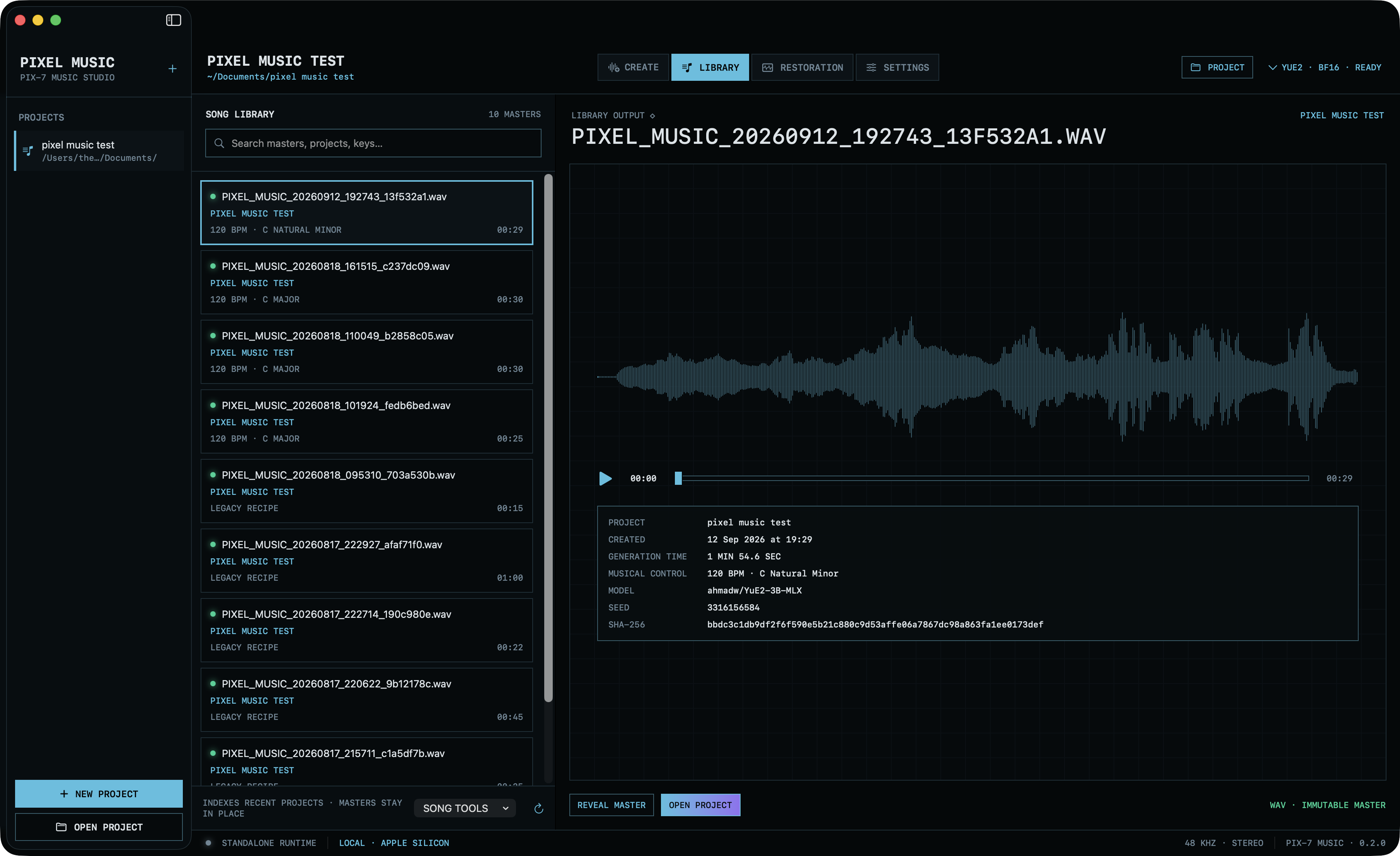
An actual YuE2 take, loaded in the library. Audio, settings and creative history stay together.
Write your lyrics. Set the mood, instruments and performance. Auto duration lets the composition find its ending, within YuE2’s six-minute limit.
Generate melody and chords, focus on melody alone, or go straight to audio. Import and edit an ABC score when you want more control.
Listen, compare and revisit. New renders preserve the original master, with saved settings, checksums, scores and audio latents.
Your queue and recent generations together. A library of takes. The deeper controls are there when you need them.
Tempo, key and composition controls in one place. Edit a score, revisit a take, or create cover art with an existing local FLUX Klein installation.
Recent generations. Saved settings. Redo, reveal, and restore.
YOUR PROJECT · YOUR HISTORYFixed an older saved prompt blocking new generations with a misleading character-limit alert. Your existing songs and recipes stay untouched.
Connect Codex and Sirius-compatible hosts through local MCP. Set up Codex, export the Sirius integration, and control generation and playback from your assistant. Access and control are separate opt-in switches in Settings.
Use local Qwen vision to suggest lyrics and coordinated music prompts. Review, edit and apply a draft, or restore the previous fields with Undo.
Editable Taste, Style and Voice presets condition the existing Emotional Composer. Your explicit intention stays above persistent preferences.
Inspect compatible local YuE2 AR/NAR LoRA folders. Compare original and adapted previews, listen, then approve a sound for Create.
Local Qwen now has its own installer, with visible progress, persistent errors and a verified runtime download. Reuse existing Qwen weights or install Qwen3 4B locally. ALi Imagine and Sirius are optional. Install the YuE2 music runtime first; Qwen and the Laya ranker have separate install buttons. The writing profile is separate from trained audio styles. Negative prompts reach music generation as natural-language Avoid instructions, not a dedicated negative-conditioning control. Suggestions and musical adherence still need your review.
Add your recordings, review ranges up to six minutes and reserve songs for testing. Train both the music planner and audio decoder on your Mac.
Compare the original model with your trained style at matched levels. Approve a version you like, then use it in Create.
Your recordings stay untouched. Checkpoints, settings and generated takes stay on your machine.
Training is experimental and requires separately installed local training assets. Existing users should prepare their dataset again for the corrected joint training workflow. No recordings or model weights are included in the app download.
For Apple Silicon Macs running macOS 14 or later. First setup downloads approximately 7 GB of BF16 model assets and an isolated runtime. The setup installer requires uv.
Download Pixel Music for Apple Silicon. Signed with Apple Developer ID and notarized by Apple. No account needed.
Download for Mac ↓Version 0.4.3 · DMG · 19.3 MB
Open the disk image and drag Pixel Music into Applications. Verify download · Release notes · Sirius integration files
YuE2 model weights use CC BY-NC 4.0. Model license terms apply to their use; this preview is not a commercial-use grant.